Do for agencies
Every client project, its board, its calls and its files, in one place
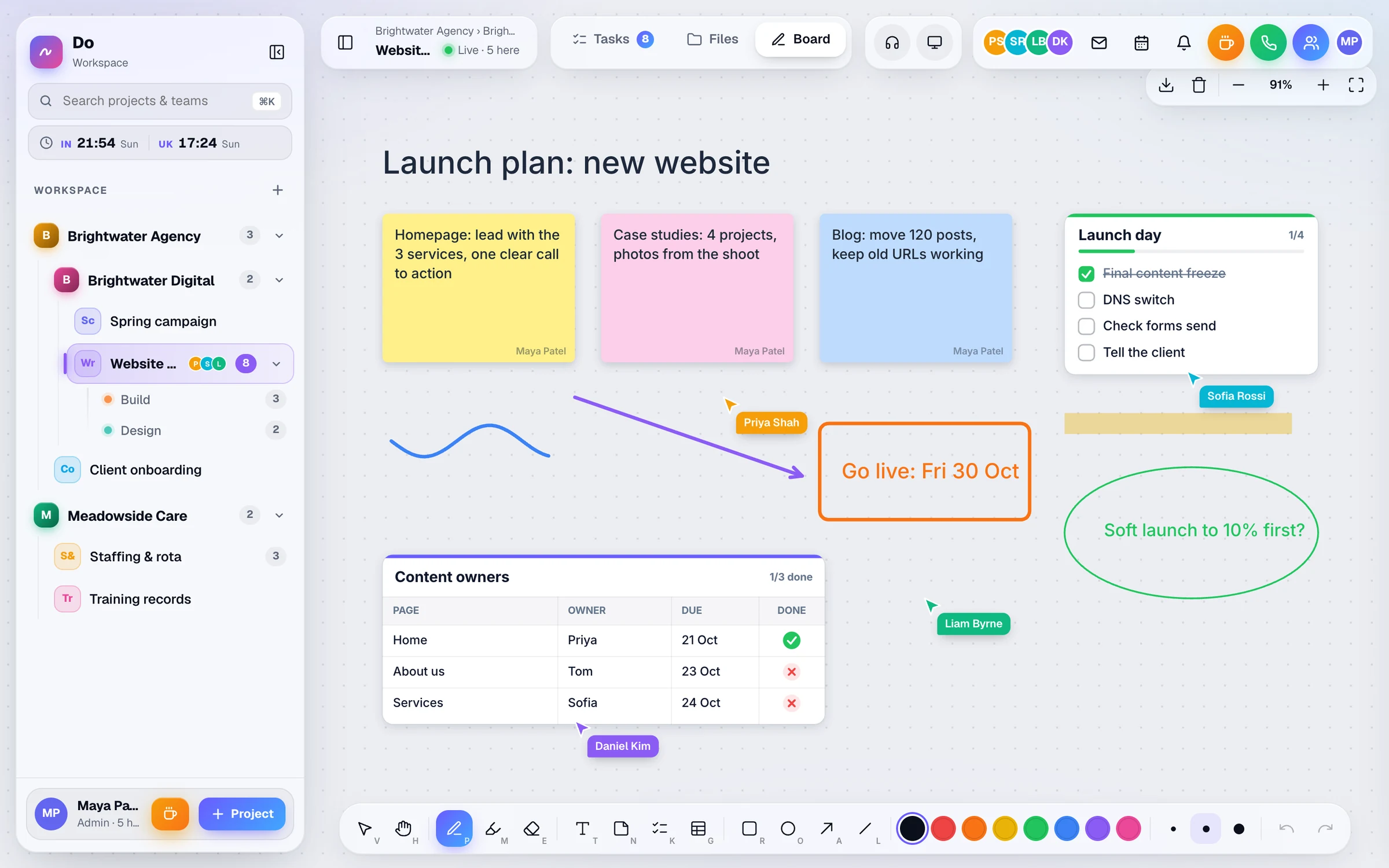
Give each client its own project, with departments for design, build or content. Plan on a live whiteboard, talk it through in the project’s call room, and invite the client in with a guest link that only opens what you choose.
30-day free trial. You won't be charged during the trial, and if you cancel before it ends you pay nothing.
- £10per user a month
- £8a month, billed yearly
- 30 daysfree trial
- Freeguests, however many
- 1 planwith every feature
Agencies today
Sound familiar?
Three everyday snags that come from keeping the work in too many places.
-
Feedback arrives everywhere
One client emails, another sends screenshots in a message, a third leaves notes in a shared doc. Someone has to turn it all into work, and things slip through.
-
Clients and freelancers see too much, or too little
Inviting people into each tool one by one takes time, and it’s easy to forget to take them out again when the project ends.
-
Nobody’s sure what’s been done
The task list says one thing, the call last week said another, and the latest files are on someone’s laptop.
Here's how Do helps
How Do helps
Built around the way you already work
Everything below is in every Do workspace, on the one plan. Your company gets its own address and its own database.
-
A project for every client
Set out companies, projects and departments the way your agency runs. Each project gets its own task list, whiteboard, call room and files, with open-task counts in the sidebar.
-
Guest links for clients
Pick the places a link opens, view-only or edit, with an optional expiry of 1 to 365 days. Switch a link off at any time. Guests are free and don’t count as users.
-
A live whiteboard for workshops
Sticky notes, to-do lists, tables, shapes and arrows, with everyone’s cursor moving live. Download the board as a PNG image to send on afterwards.
-
Feedback straight into tasks
Give a task several owners, a due date, notes and sub-tasks. Paste a screenshot or drop files onto it, up to 30 attachments per task.
-
Calls with screen share
Every project has a voice call room. Share your screen from a desktop browser, and use Client call mode to hold-to-talk to your team while you’re with a client.
-
Reports you can download
Admins pick a project and a date range of up to about 3 months to see tasks created and finished, who finished them and when. Download it as a CSV.
Take a look
Inside a sample workspace
Real screens from Do, filled with example data.
Tasks
One live task list per project, with several owners per task, due dates, sub-tasks and attachments. Overdue tasks turn red, and All or Mine shows just your own work.
More about tasks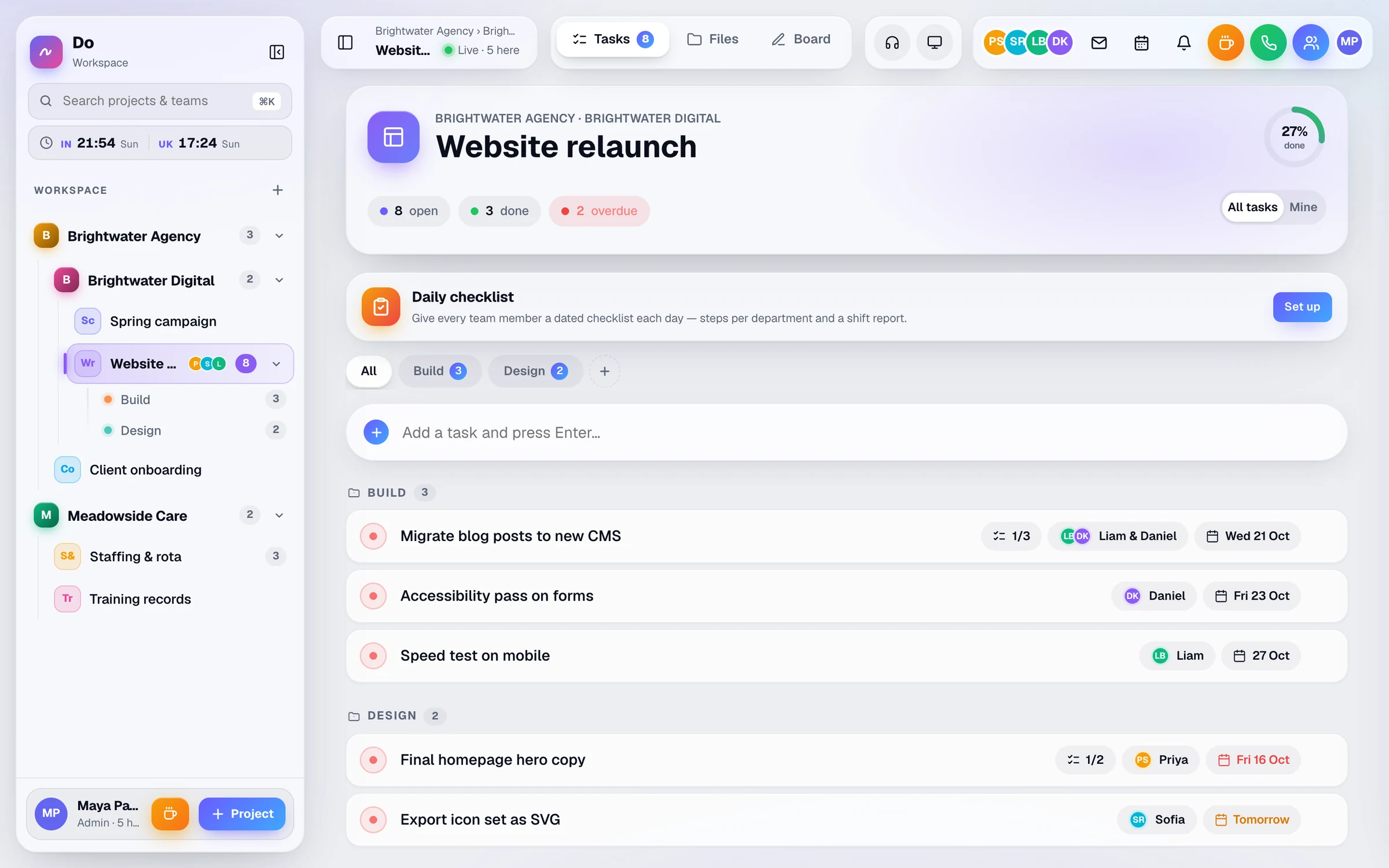
Calls
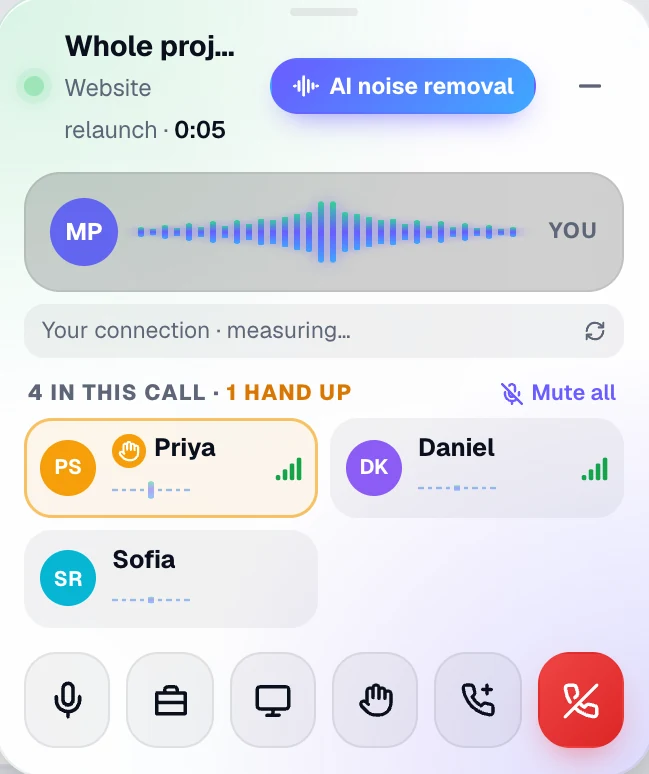
A voice call room in every project and department. Share your screen from a desktop browser, raise a hand, or ring a teammate. If Do isn't on their screen, the ring arrives as a push notification.
More about calls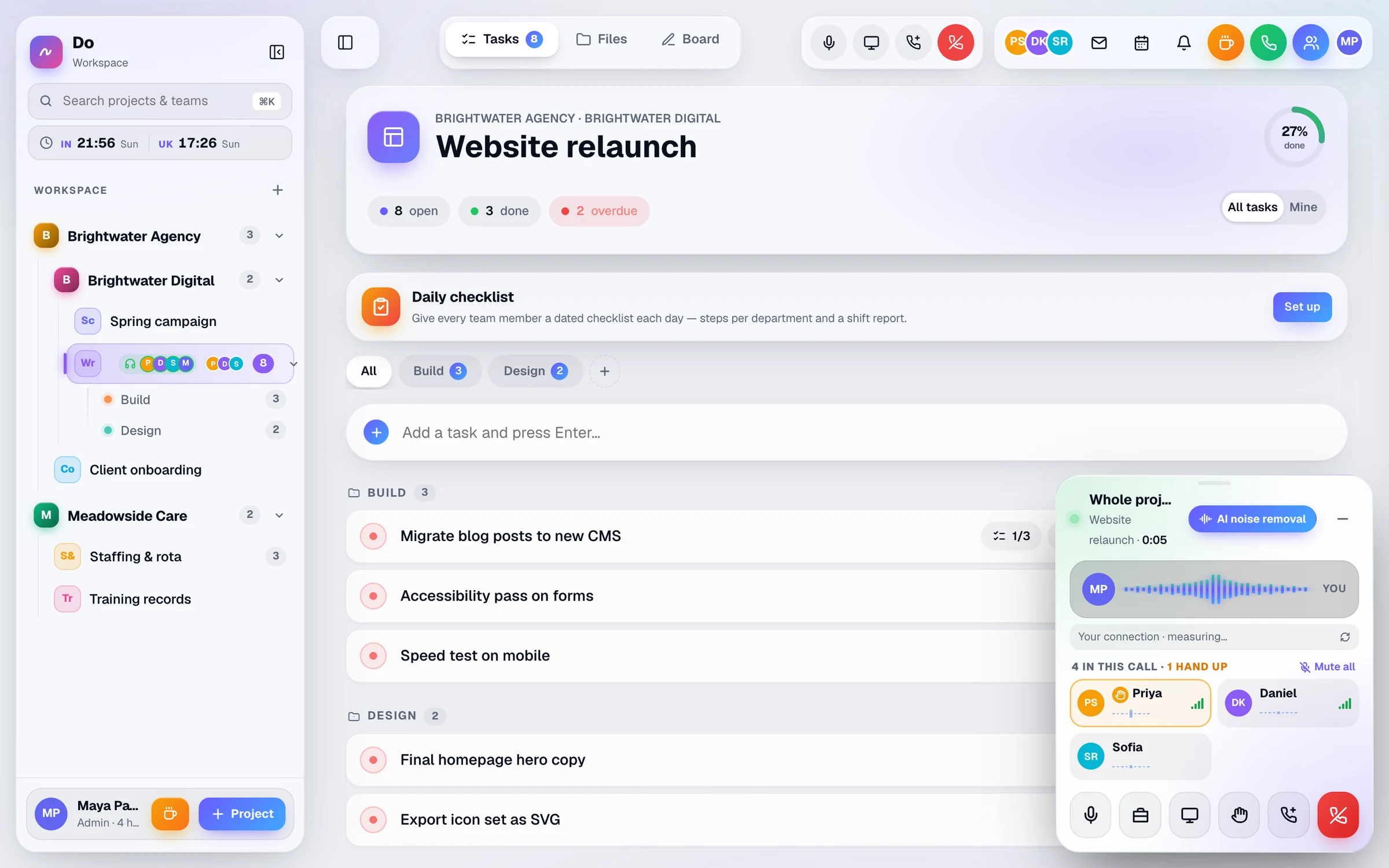
Companies & access
Companies, sub-companies, projects and departments in one sidebar, with open-task counts. Give each person only the places they need.
More about companies & access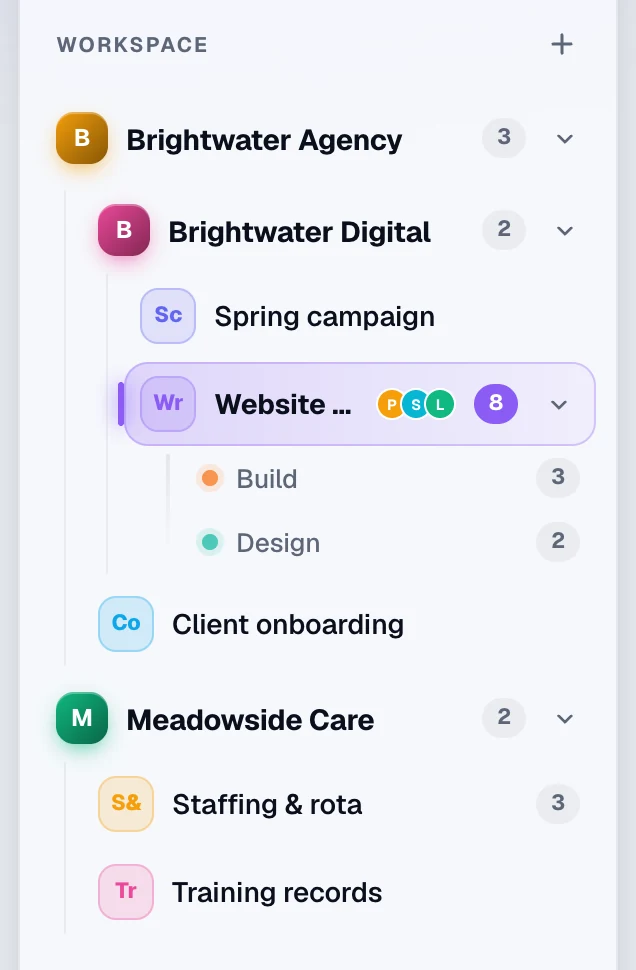
Example day
A day with Do
An illustration of how a team like yours might use Do. The times, people and jobs are examples, not a real customer.
-
09:15
Stand-up in the call room
The team joins the client project’s call room. The designer shares their screen to walk through yesterday’s changes.
-
10:30
Workshop on the whiteboard
The strategist and the client’s marketing lead map the site on the project whiteboard, with both cursors moving live. The board is downloaded as a PNG for the notes.
-
12:00
Client feedback becomes tasks
The client adds sticky notes to the board through an edit guest link. The project lead turns them into tasks, pastes in screenshots and gives each one an owner and a due date.
-
15:00
A quiet word during a client call
On a call with the client elsewhere, the account manager switches Do to Client call and holds to talk to the team without the client hearing.
-
17:30
What got done
Before the weekly update, an admin opens the report for the project and downloads the CSV of tasks finished this week.
Questions
Questions about Do for agencies
Ask us anything
Not sure Do fits the way your team works? Tell us a little about it and someone from the Businlog team will reply by email.
Do our clients need to pay for a seat?
No. People who join through a guest link aren’t counted as users, so clients cost nothing. You choose which places the link opens and whether it’s view-only or edit, and you can set it to expire after 1 to 365 days or switch it off yourself.
Can a freelancer see only the project they’re working on?
Yes. An admin can limit any member to chosen companies, projects or departments, or make them read-only. When the job ends, removing them signs them out at once and closes their live connections.
Does Do do time tracking or invoicing?
No. Do is for running the work: tasks, the whiteboard, calls, files and the rota. It has no timesheets or invoicing, so keep your accounts tool for those. Admin reports do show which tasks were finished, by whom and when.
What can we hand over when a project ends?
You can download the whiteboard as a PNG image, export reports as CSV and download files one at a time. There isn’t a one-click export of a whole workspace.
Solutions
Do for other kinds of team
-
Care & staffing
The weekly rota, daily shift checklists and staff documents in one live workspace, with reminders 30 and 7 days before a certificate expires, and on the day.
-
Remote teams
See who’s online, in a call or on a break, ring a teammate in one tap, and share a live task list and whiteboard. One workspace for remote and hybrid teams.
-
Every feature
Tasks, whiteboard, calls, files, rota and presence, one chapter at a time.
Try Do with your next client project
Set up a project for a client, invite your team and send the client a guest link. Guests are free, and the trial lasts 30 days.
£10 per user a month, or £8 a month billed yearly. Guests are free.