Do for remote & hybrid teams
Work apart, and still feel like one team
Do shows who’s online, in a call, on a break or away, so you know when to ask. Ring someone in one tap, drop into your project’s call room, and keep the day’s tasks in front of everyone, live.
30-day free trial. You won't be charged during the trial, and if you cancel before it ends you pay nothing.
- £10per user a month
- £8a month, billed yearly
- 30 daysfree trial
- Freeguests, however many
- 1 planwith every feature
Remote teams today
Sound familiar?
Three everyday snags that come from keeping the work in too many places.
-
You can’t tell who’s free
Without a desk to walk past, you message someone, wait, then wonder whether they’re busy, on a break or just away from the screen.
-
Every quick question becomes a meeting
A two-minute chat needs a link, an invite and a calendar slot, so people put it off or don’t ask at all.
-
The plan lives in too many tabs
Tasks in one tool, sketches in another, files in a third. Nobody’s sure which version is the latest.
Here's how Do helps
How Do helps
Built around the way you already work
Everything below is in every Do workspace, on the one plan. Your company gets its own address and its own database.
-
Team now
See who’s online on a phone or a computer, who’s in a call, who’s on a break and when someone was last seen.
-
Ring a teammate
They can accept or decline on any open tab. If Do isn’t on their screen, the ring arrives as a push notification, and they can send a quick reply like “On another call”.
-
A call room in every project
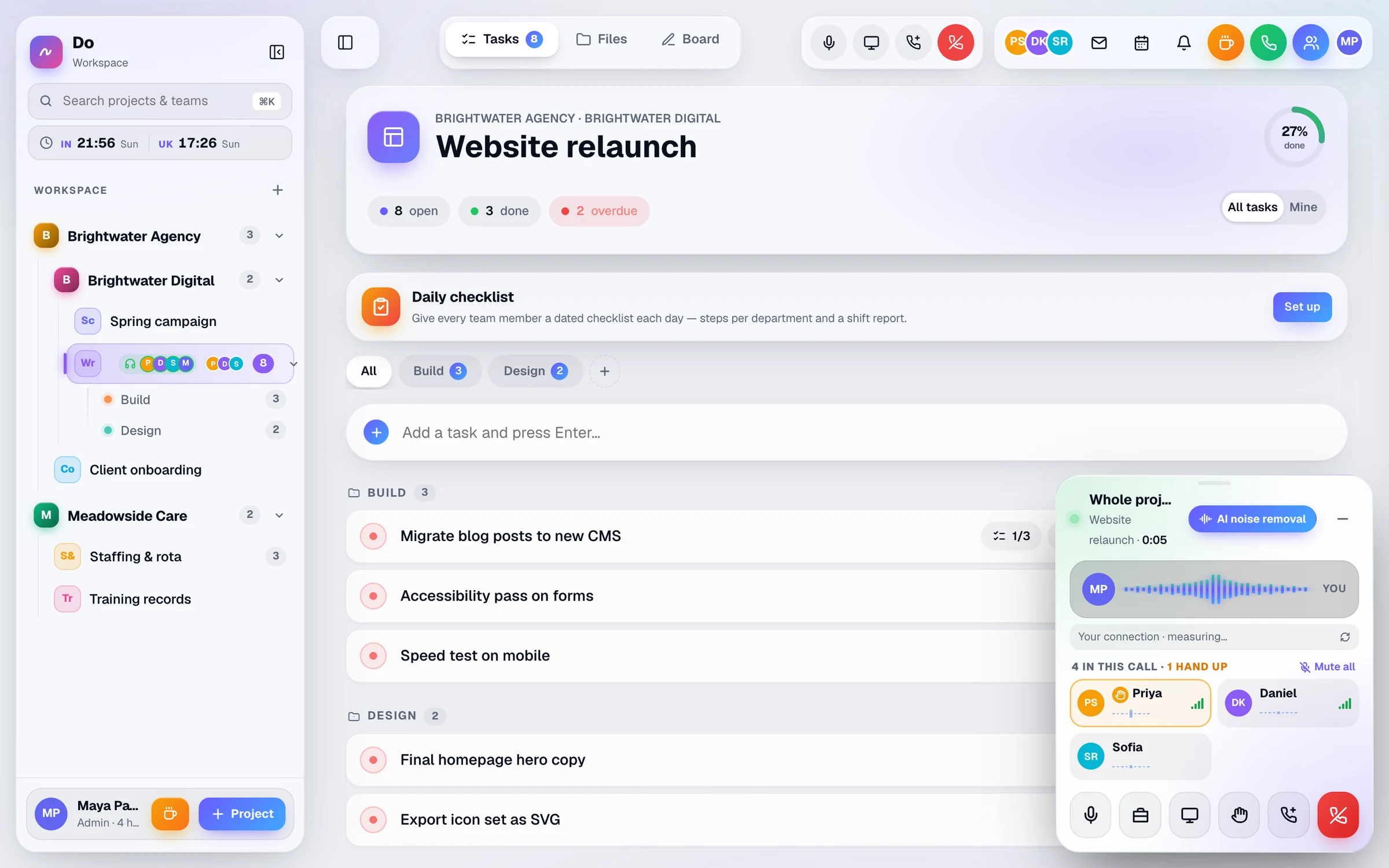
Voice calls for each project and department, with screen sharing from desktop browsers, a raised hand, and noise removal that runs on your own device.
-
Sketch it out together
A whiteboard for every project with 13 tools and live cursors. Edits made while you’re offline are sent when the connection comes back.
-
One live task list
Changes appear for everyone as they happen. Switch to Mine for your own work, and see at a glance what’s overdue or due today.
-
Sign in on any device
Use a personal join link, email and passcode, or a passkey such as Face ID or Windows Hello. See every device you’re signed in on and sign any of them out.
Take a look
Inside a sample workspace
Real screens from Do, filled with example data.
Whiteboard
A shared board for every project and every department, with 13 tools and your teammates' cursors moving live. Download it as a PNG image when you're done.
More about whiteboard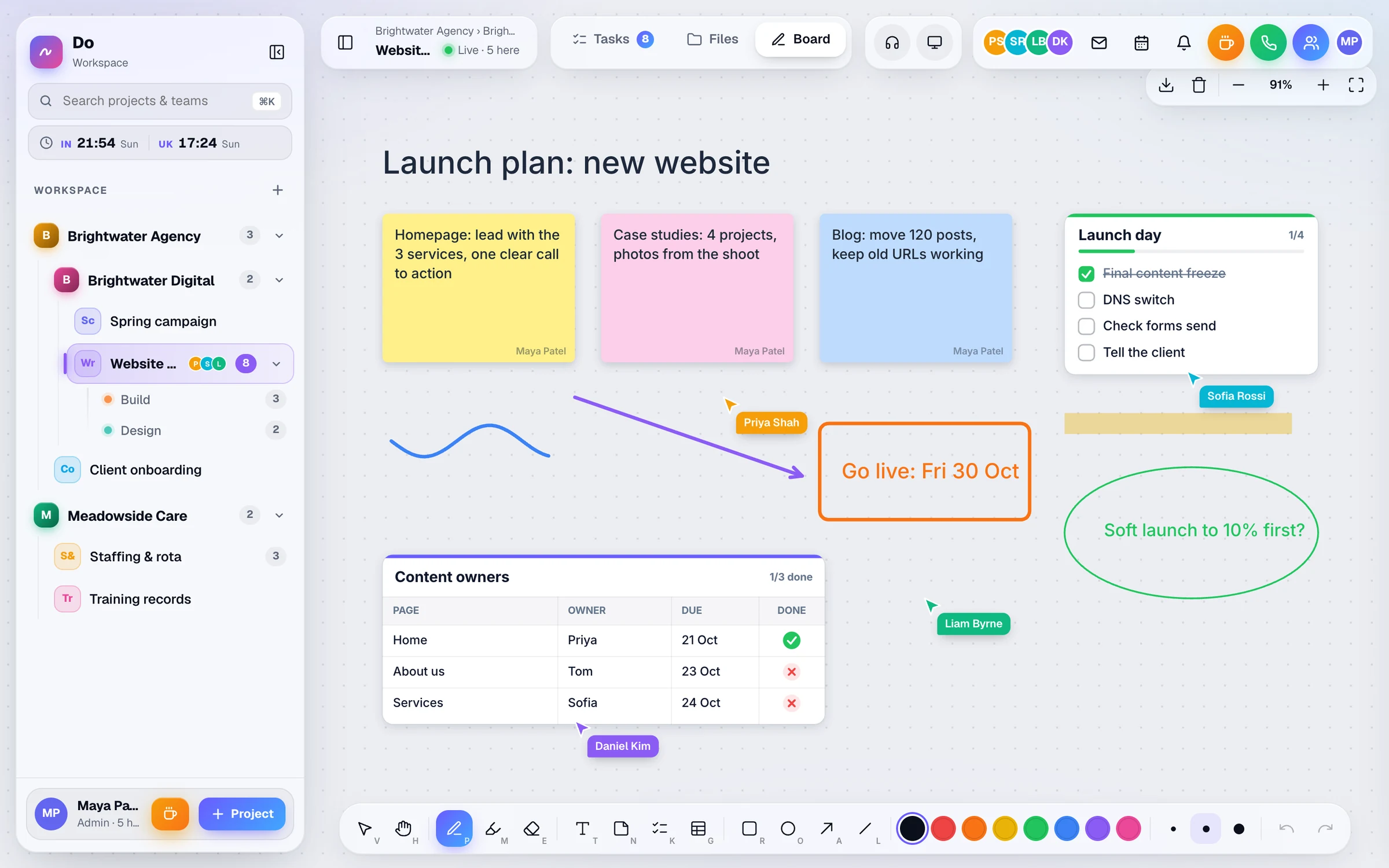
Tasks
One live task list per project, with several owners per task, due dates, sub-tasks and attachments. Overdue tasks turn red, and All or Mine shows just your own work.
More about tasks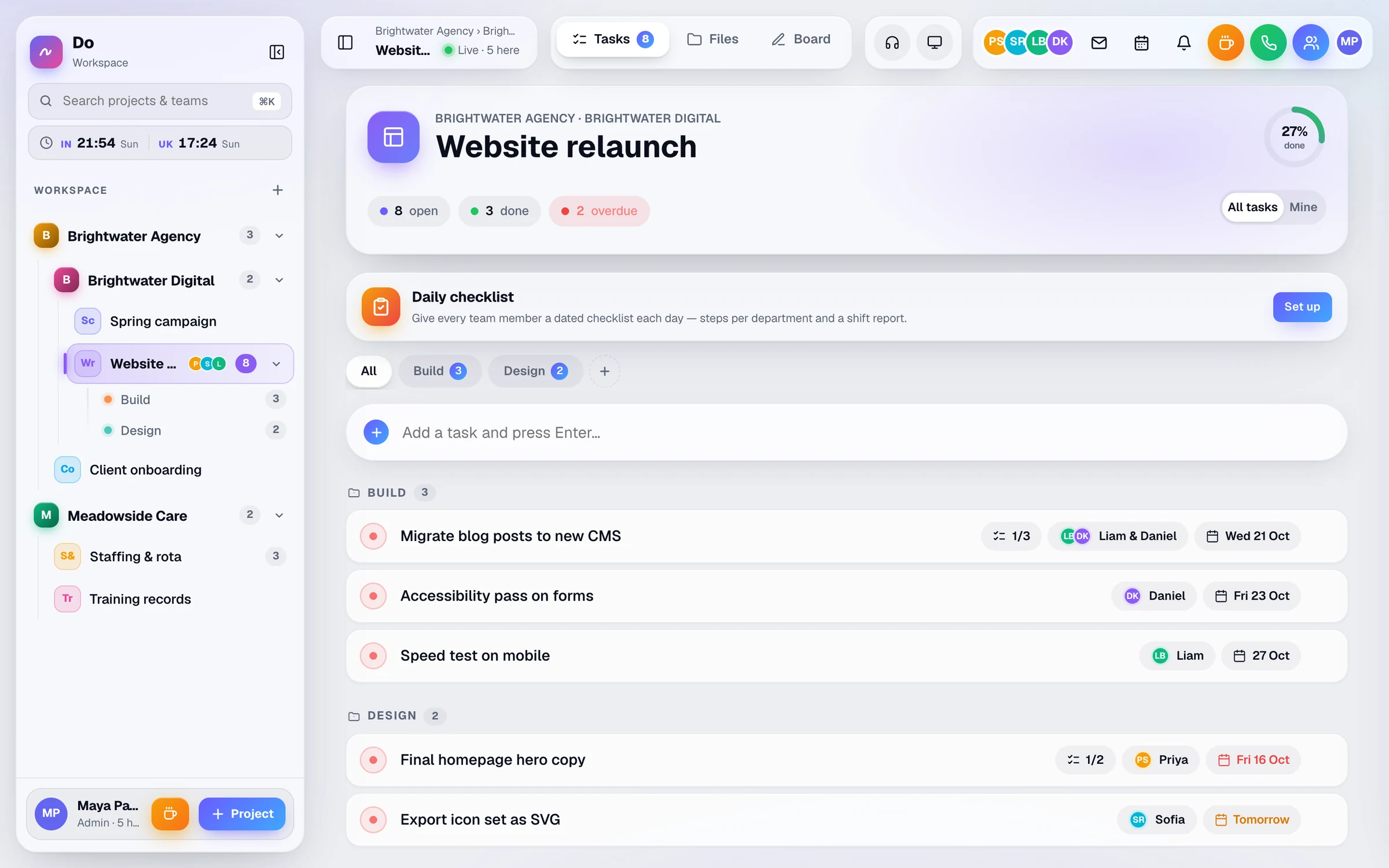
Companies & access
Companies, sub-companies, projects and departments in one sidebar, with open-task counts. Give each person only the places they need.
More about companies & access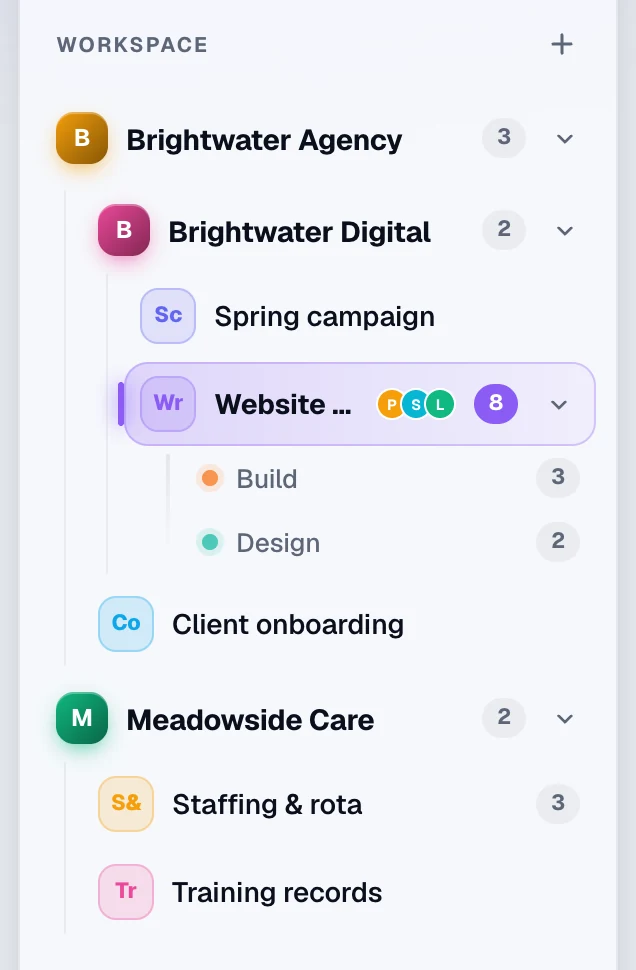
Example day
A day with Do
An illustration of how a team like yours might use Do. The times, people and jobs are examples, not a real customer.
-
08:50
Who’s around?
Before starting, a developer opens Team now: three colleagues are online, one on a phone, and one is on a break.
-
09:30
Stand-up in the call room
The team meets in the project’s call room. Noise removal keeps out the washing machine in the background.
-
11:15
A quick question, answered
Rather than booking a meeting, the developer rings the designer. The ring reaches their phone as a push notification and they pick up.
-
14:00
Sketching the next feature
Two people draw the flow on the project whiteboard and watch each other’s cursors move.
-
17:00
Wrapping up
Everyone switches to Mine, ticks off what’s done, and sees what’s due tomorrow.
Questions
Questions about Do for remote teams
Ask us anything
Not sure Do fits the way your team works? Tell us a little about it and someone from the Businlog team will reply by email.
Can we see each other on camera?
No. Calls in Do are voice and screen share, with no camera video. They’re built for quick, frequent talks while you work. If you need faces on screen for a meeting, keep your video tool for that.
Is there team chat?
No. Do has no chat channels or direct messages. Quick questions become a ring or a call, decisions go into task notes, and the bell tells people when they have a new task or a missed call.
What can admins see about people’s day?
Presence shows who is online, in a call, on a break or offline, and when they were last seen. Admin reports show tasks finished and breaks taken per person per day. There’s no screen recording, and calls aren’t recorded.
What if someone’s network blocks calls?
Calls run in the browser over WebRTC. If a network blocks direct connections, Do sends the call through a relay. The call health panel shows whether a mic is working, whether audio is arriving and how good the connection is.
Solutions
Do for other kinds of team
-
Agencies
Run client projects in one live workspace: tasks, a whiteboard, voice calls and files for each client, plus free guest links so clients can follow along.
-
Care & staffing
The weekly rota, daily shift checklists and staff documents in one live workspace, with reminders 30 and 7 days before a certificate expires, and on the day.
-
Every feature
Tasks, whiteboard, calls, files, rota and presence, one chapter at a time.
Bring your remote team into one room
Invite your team, set up a project and try ringing someone. Every feature is included for 30 days.
£10 per user a month, or £8 a month billed yearly. Guests are free.