Do for care & staffing
The rota, the handover and staff documents, together at last
Build the week’s rota once and copy it forward, let each person see their own shifts on their phone, and keep training certificates and checks in folders that remind you before anything runs out.
30-day free trial. You won't be charged during the trial, and if you cancel before it ends you pay nothing.
- £10per user a month
- £8a month, billed yearly
- 30 daysfree trial
- Freeguests, however many
- 1 planwith every feature
Care & staffing today
Sound familiar?
Three everyday snags that come from keeping the work in too many places.
-
The rota lives in a spreadsheet
It gets sent round as a file or a photo, someone works from last week’s copy, and changes are passed on by word of mouth.
-
Certificates run out without anyone noticing
Renewal dates sit in a list that someone has to remember to check, and chasing staff for the new copy takes days.
-
Handovers depend on who’s on shift
What was done, what’s outstanding and the day’s figures end up on paper, in a message or in someone’s head.
Here's how Do helps
How Do helps
Built around the way you already work
Everything below is in every Do workspace, on the one plan. Your company gets its own address and its own database.
-
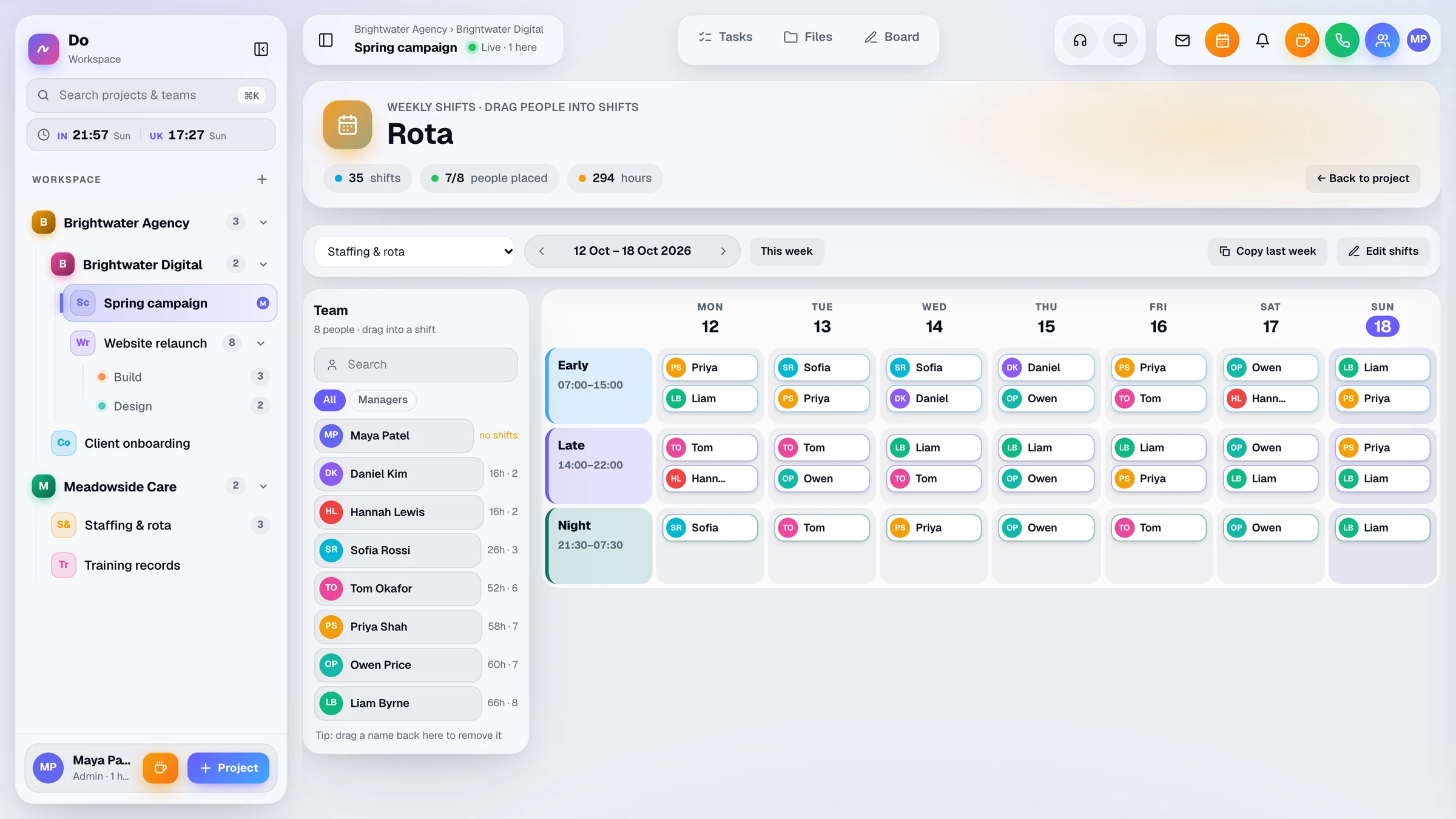
A weekly rota you can copy forward
Set up 1 to 12 shift types with start and end times and a colour. Place people on days, copy last week forward, and each person is told about a new shift. Overnight hours add up properly.
-
My shifts on every phone
Staff see their shifts for the next 14 days. Do installs from the browser onto a home screen, so there’s no app store, and push notifications arrive when Do isn’t on screen.
-
Reminders before documents expire
Add an expiry date to a file and Do reminds admins, whoever added it and the folder’s owner 30 days before, 7 days before and on the day.
-
Ask staff for missing documents
Give each person their own folder to upload to, and request missing documents from one person or everyone with an unfinished joining checklist. Admins are told when they arrive.
-
Daily checklist and shift report
Admins set a checklist for each project, with a shift report step and figures for each department to fill in. Admins see the whole team’s progress for the day.
-
Who’s on shift right now
Admins see who’s on shift now, who’s online and who’s on a break. Breaks are logged, and reports show them per person per day.
Take a look
Inside a sample workspace
Real screens from Do, filled with example data.
Files & reminders
Files and folders for each company, project or department. Add an expiry date to a file and Do reminds people 30 days before, 7 days before and on the day.
More about files & reminders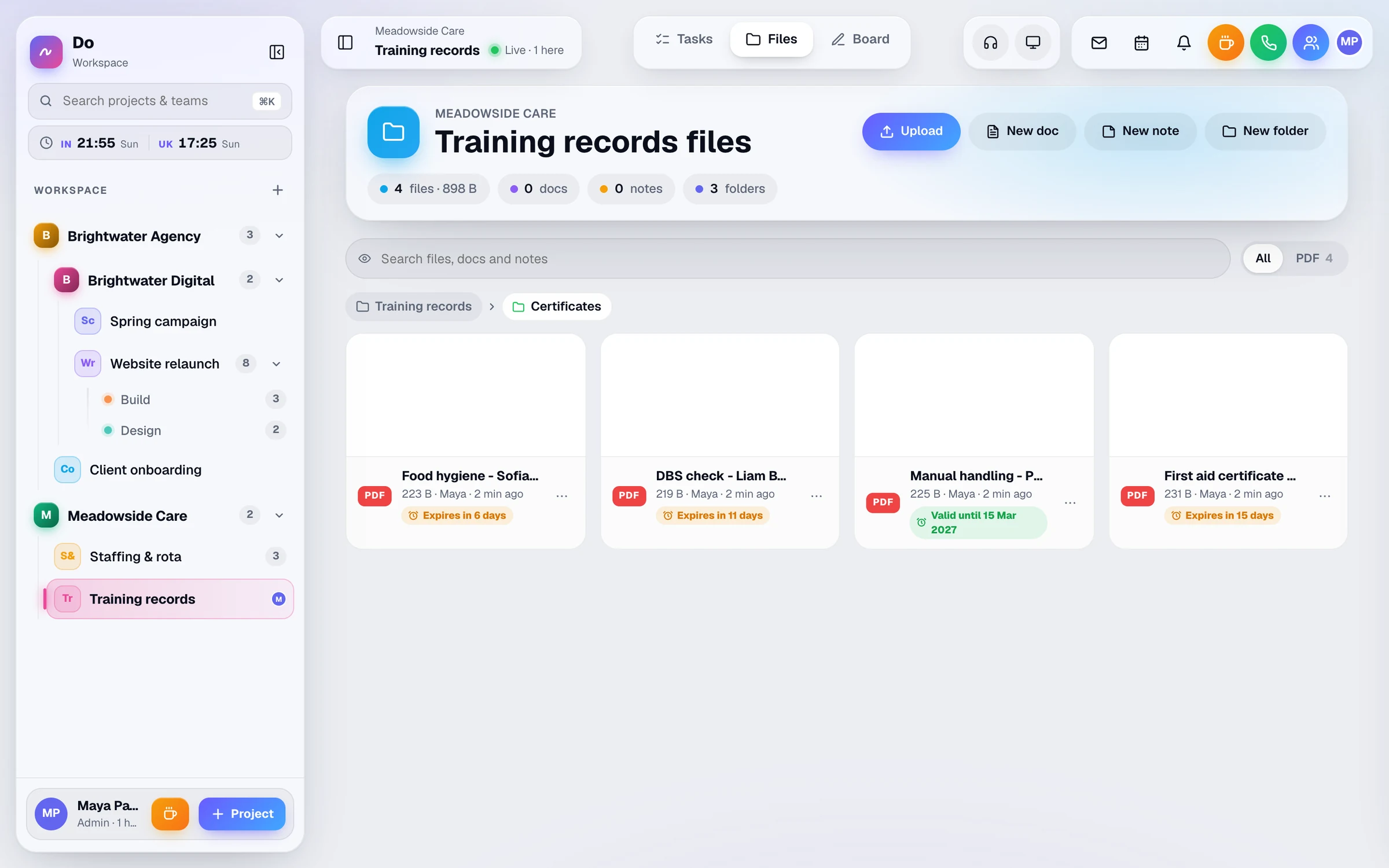
Tasks
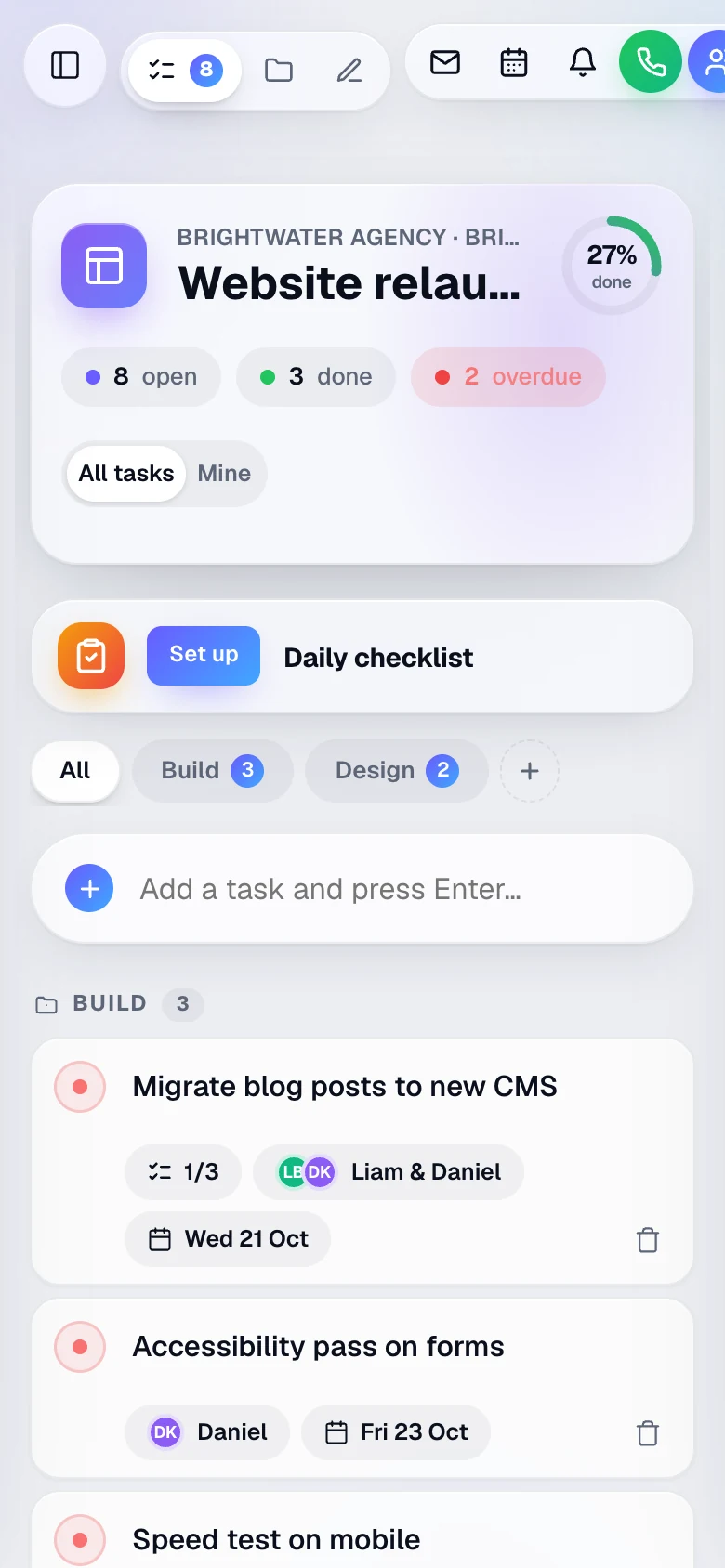
One live task list per project, with several owners per task, due dates, sub-tasks and attachments. Overdue tasks turn red, and All or Mine shows just your own work.
More about tasks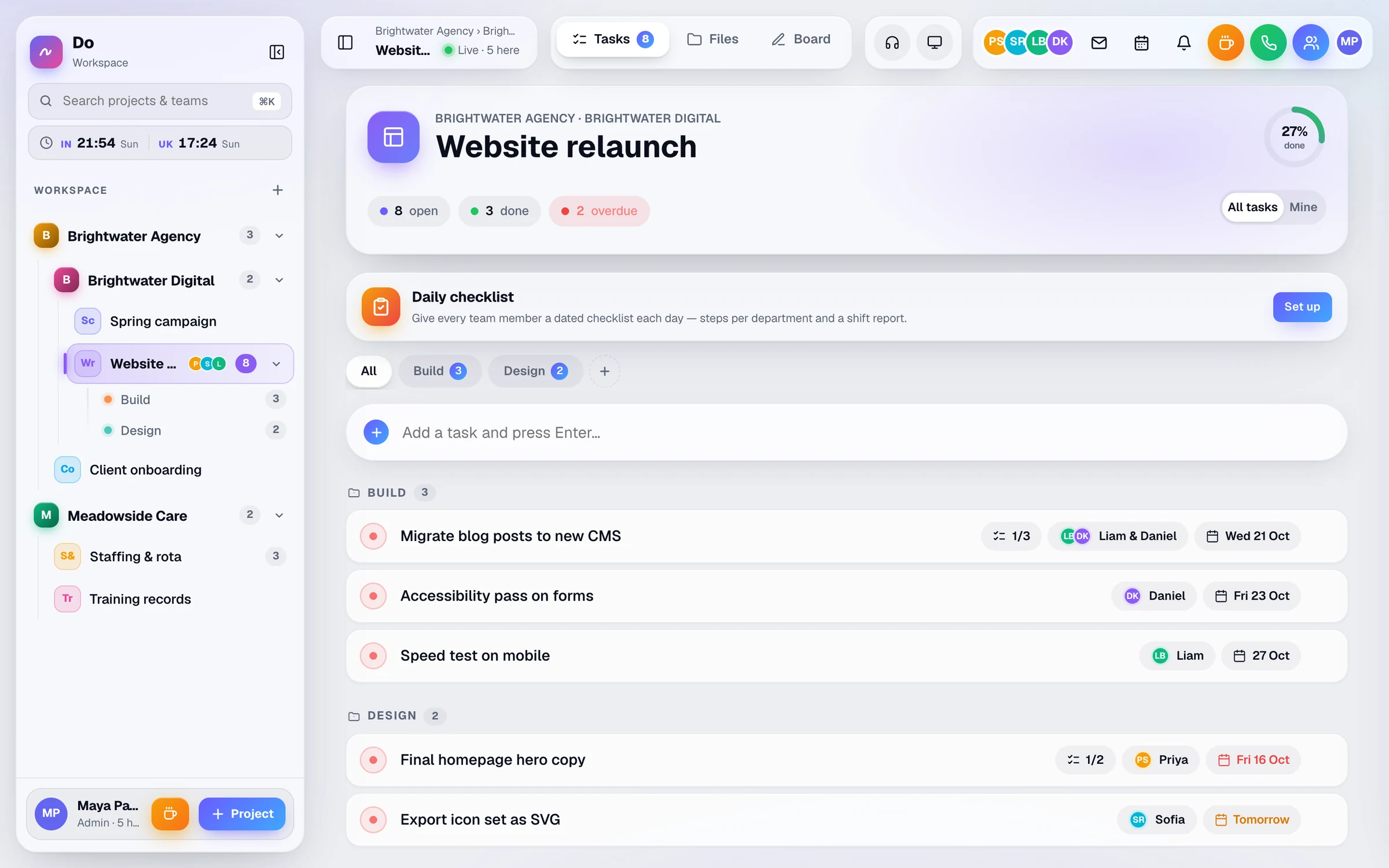
Companies & access
Companies, sub-companies, projects and departments in one sidebar, with open-task counts. Give each person only the places they need.
More about companies & access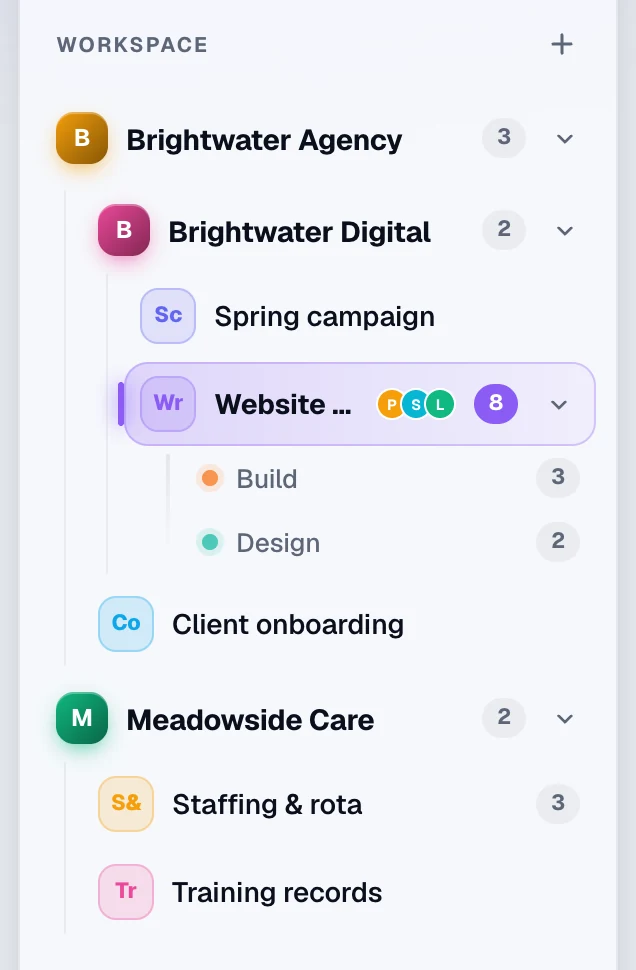
Example day
A day with Do
An illustration of how a team like yours might use Do. The times, people and jobs are examples, not a real customer.
-
07:00
The early shift starts
A support worker checks My shifts on their phone and starts the day’s checklist for their site.
-
10:30
A certificate is due to expire
The manager gets a reminder that a carer’s training certificate expires in 30 days, and requests the renewed copy. It arrives in the carer’s bell and by push.
-
13:00
Lunch, logged
A team leader starts a lunch break in Do. Anyone who rings them is told they’re on a break.
-
15:30
Next week’s rota
The manager copies last week’s rota forward, moves two people onto the late shift, and each of them is notified.
-
19:45
Handover
The late shift fills in the shift report step with the day’s figures, and the admins who are online are told it’s been submitted.
Questions
Questions about Do for care & staffing
Ask us anything
Not sure Do fits the way your team works? Tell us a little about it and someone from the Businlog team will reply by email.
Do our staff need an email address?
No. An admin adds each person with a name, and an email is optional. Everyone gets a personal join link that signs them straight in, and admins can copy an invite message to send by WhatsApp or email. After that, people can sign in with a passkey such as Face ID or a fingerprint.
Who gets the expiry reminders, and how?
Admins, whoever added the file and the owner of the personal folder it’s in. Reminders appear in the bell and as push notifications 30 days before, 7 days before and on the day. Emails go out at the 30-day point and on the day once your workspace’s email is connected.
We run several homes or sites. Can staff see only their own?
Yes. Set each site up as a company, project or department, then limit people to the places they work. A company can sit inside another company, so a group with several sites fits too.
Is Do a care-planning or care-records system?
No. Do runs your team’s working day: the rota, tasks, checklists, calls and staff documents. Keep care plans and records in the system you use for them.
Solutions
Do for other kinds of team
-
Agencies
Run client projects in one live workspace: tasks, a whiteboard, voice calls and files for each client, plus free guest links so clients can follow along.
-
Remote teams
See who’s online, in a call or on a break, ring a teammate in one tap, and share a live task list and whiteboard. One workspace for remote and hybrid teams.
-
Every feature
Tasks, whiteboard, calls, files, rota and presence, one chapter at a time.
Put next week’s rota in Do
Add your shift types, place your team and see how it feels on their phones. The trial lasts 30 days, with every feature included.
£10 per user a month, or £8 a month billed yearly. Guests are free.